YouTube Video Downloader: Save Videos and Audio Locally
- Cereal Dev Null
- Automation , Technology , Software
- March 25, 2026
You’ve been there. A great tutorial, a conference talk, a music video you want to revisit, and then the link goes dead. Or you’re heading somewhere without reliable internet and realize your go-to videos are locked behind a Wi-Fi requirement. Or you want the audio from a video but don’t want to fumble through sketchy converter websites.
YouTube Video Downloader is a Cereal automation script that fixes this. Give it a YouTube URL or Video ID, pick your quality, and it saves the file directly to your Downloads folder. No browser extensions, no third-party websites, no ads.
What Is YouTube Video Downloader?
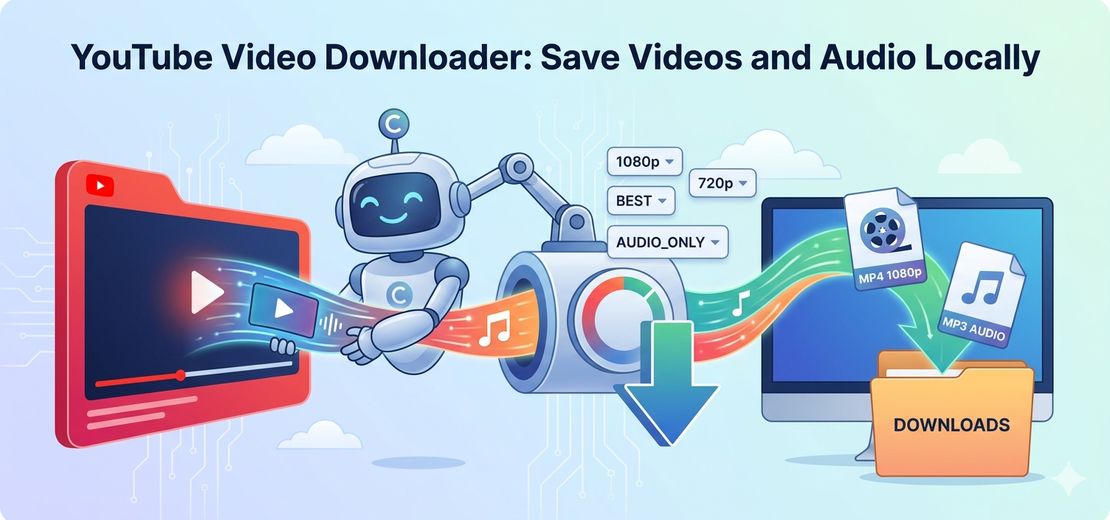
YouTube Video Downloader is a script on the Cereal automation marketplace that downloads videos and audio from YouTube straight to your device. You provide the URL or Video ID, select the resolution you want, and the script handles the download, including merging separate video and audio streams when needed for high-quality formats.
The result lands in your Downloads folder, ready to watch or listen to offline.
Key Features
Quality Selection Choose the resolution that works for you: 360P, 480P, 720P, 1080P, or BEST. If you only want the audio, there’s a dedicated AUDIO_ONLY mode that extracts just the soundtrack from any video.
Smart Fallback Not every video is available in every resolution. If the quality you requested isn’t supported for a particular video, the script automatically steps down to the next available option. You always get a download, not an error.
Works on Windows, macOS, and Linux The script runs on all three platforms out of the box with no platform-specific configuration required.
Automatic Stream Merging YouTube delivers 1080P and BEST quality as separate video and audio streams. The script downloads both and merges them automatically using FFmpeg, producing a single complete file.
Common Use Cases
Offline viewing. Long flights and spotty hotel Wi-Fi are a lot more bearable when your watchlist is already on your device.
Saving tutorials and lectures. Channels get deleted. Videos go private. If there’s content you genuinely rely on, a local copy is the only way to guarantee it stays available.
Audio extraction. Podcasts, music, long-form interviews: if the video track doesn’t matter, AUDIO_ONLY mode pulls just the audio. Add it to your library and listen wherever you want.
Requirements
For standard downloads (360P, 480P, 720P, or AUDIO_ONLY), no extra setup is needed.
For 1080P or BEST quality, you’ll need FFmpeg installed and available on your system’s PATH. FFmpeg handles the stream merging step. It’s free, installs in a few minutes on any platform, and only needs to be set up once.
Frequently Asked Questions
Can I download just the audio from a YouTube video? Yes. Select AUDIO_ONLY as the quality option and the script extracts only the audio track, with no video file included.
Does it work without installing anything extra? For resolutions up to 720P, yes. For 1080P or BEST quality, FFmpeg is required to merge the separate video and audio streams YouTube provides at those resolutions.
Which platforms does it support? Windows, macOS, and Linux are all supported out of the box.
Where does the downloaded file go? Files are saved automatically to your system’s Downloads folder.
What do I need to provide? A YouTube URL or Video ID, and your preferred quality. The script handles everything else.
Download YouTube Videos with Cereal
Stop depending on a stable connection or hoping your favorite videos stay online. YouTube Video Downloader puts your content on your device, on your terms.